Weddings, beautifully organised
AestheticInvitation.
Valuable Impression.
From invitation and RSVP to check-in, wedding-day operations, moments, mini games and guest engagement—AIVI keeps the whole celebration connected in one elegant platform.
Early-bird Standard: RM20 per event · First 20 eligible users only · Regular RM79

The AIVI experience
Everything your wedding needs.Beautifully connected.
AIVI brings planning, guest management, wedding-day control and guest experiences into one calm place from the first setup to the final memory.
Create & Manage Event
Set wedding details, guest rules, sessions, tables, VIP setup and keep the current event editable whenever plans change.
Discover feature
Live Dashboard
Track registered pax and families, normal and VIP pax, check-ins, remaining guests, expected attendance and session arrival timelines.
Discover feature
AIVI Top Picks
Preview AIVI's invitation top picks and choose a design collection that feels elegant, simple and ready for your event details.
Discover feature
Guest Check-in
Scan personal QR passes or search by guest name, then see family, pax, session and assigned table information before confirming arrival.
Discover feature
Wedding Planner
Plan the target budget and current savings while tracking planned cost, total paid, outstanding balances and vendor due dates.
Discover feature
Live Moments
Collect guest photos and videos with personal ucapan in a shared wedding gallery, with one photo and one video available per family link.
Discover feature
Live Event Progress
Run the wedding-day timeline, assign activities to individual staff, and track progress across the whole team or by staff member.
Discover feature
Mini Games
Run live wedding quiz games by session, set questions and prizes, and keep guests engaged with scoring and a live leaderboard.
Discover feature
Staff & Manager Roles
Invite Floor Managers, Managers and Staff. Assign live-event tasks to team members, review each person's progress and coordinate the wedding day in one place.
Discover feature
Guest Invitation Journey
Show guests the invitation link first, then unlock the registered guest page with event details, QR pass, mini games, vendors and moments.
Discover feature
Reminders & Alerts
Send WhatsApp wedding reminders and trigger live check-in percentage alarms to help the floor team manage crowd and food readiness.
Discover feature
For organizers & crew
Know what is happening.While it is happening.
AIVI is not only an invitation tool. It becomes the event control centre for guest movement, operations, crew coordination and live wedding progress.
Live guest intelligence
See registered pax, family count, VIP and normal pax, expected attendance, checked-in guests and remaining guests from one dashboard.
Session-aware arrivals
When arrival sessions are enabled, monitor guest distribution and the arrival timeline so the hall flow stays manageable.
Operational wedding-day control
Organizers and Floor Managers coordinate the Live Event timeline, assign tasks to staff and track overall or individual progress.
Clear crew responsibilities
Invite Floor Managers, Managers and Staff with role-specific access. Managers and Floor Managers can assign tasks; staff can update assigned-task progress and create their own tasks.
Guest experience
One invitation link.A complete guest journey.
Guests do not need to manage a complicated account. Their invitation and registered guest link become the doorway to the wedding experience.
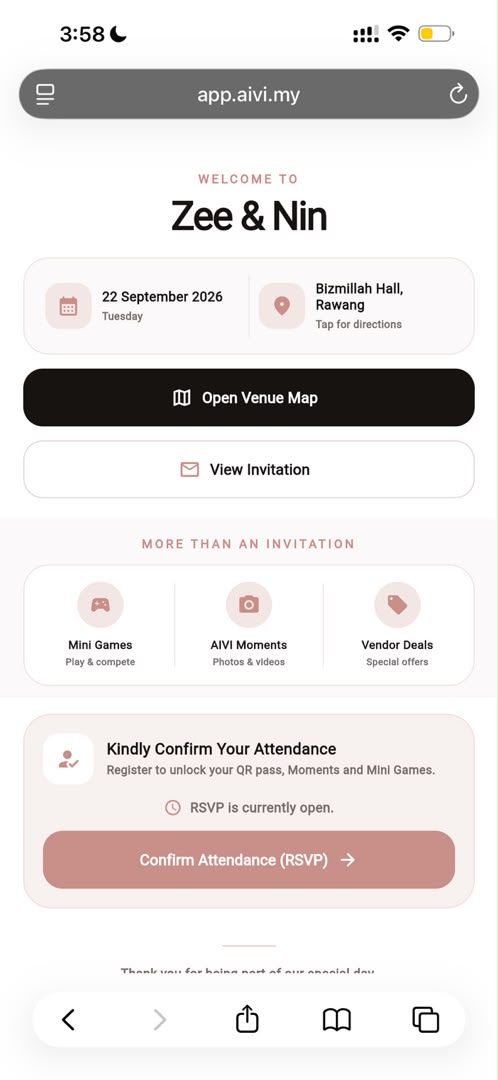
Invitation link
Guests open the wedding link to see the event name, date, venue, map button, invitation preview and highlights such as Mini Games, Moments and vendor deals before registering.
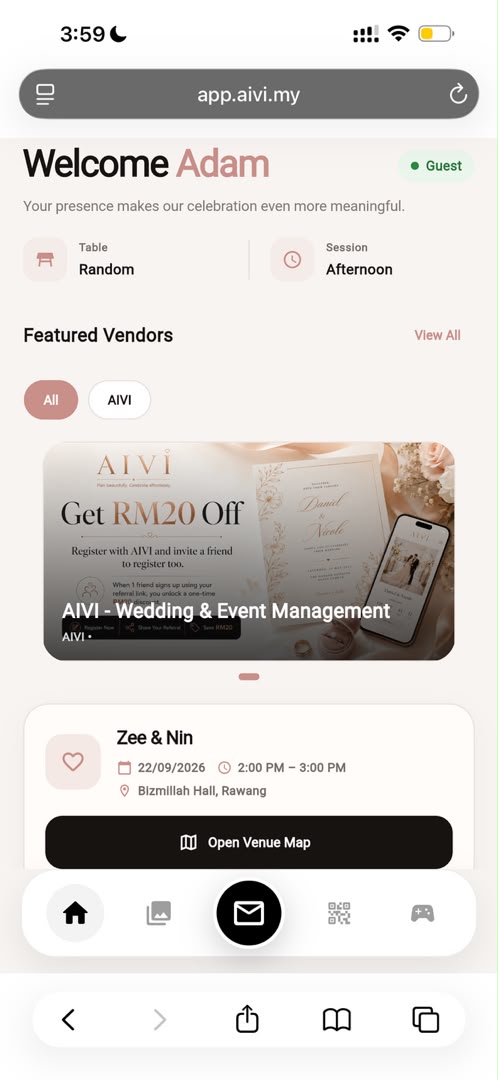
Registered guest page
After RSVP, guests can view their own details, event details, invitation card, selected vendor promotions, mini games and the QR pass used for check-in.
Memories & guest interaction
Registered guests can upload one photo and one video, revisit the event page anytime and enjoy a complete digital wedding experience from one personal link.
Guest pages in AIVI
What guests get from AIVI.Before and after RSVP.
From the first invitation link to the registered guest page, AIVI gives guests a simple but rich wedding experience in one place.
AIVI Guest Flow
What guests see from the invitation link
The public invitation page introduces the event clearly before registration. Guests can view the event date, venue, map button, invitation button and a quick feature preview.
- Event name, date and venue
- Open Venue Map button
- View Invitation button
- Mini Games, Moments and Vendor Deals preview
- Confirm Attendance (RSVP) action
AIVI Guest Flow
What registered guests unlock
After registration, the personal guest page becomes the main event experience. It keeps everything in one place so guests always know where to check details and participate.
- Guest details and event details
- Invitation card and session information
- Featured vendors and promotions
- Mini games and leaderboard access
- QR pass for check-in
- Upload photo and upload video
AIVI top picks
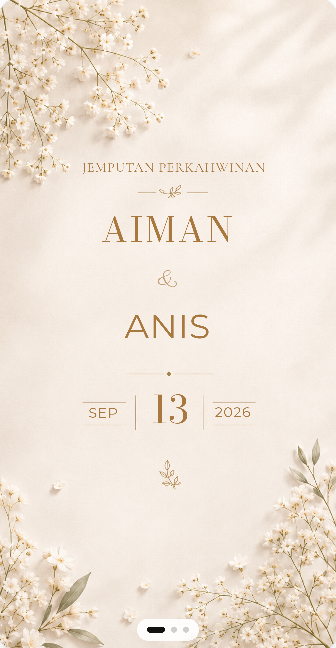
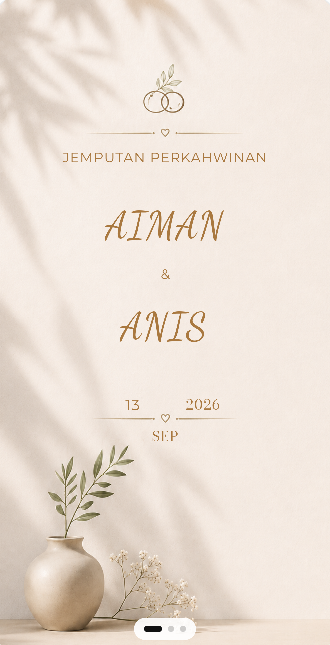
Five invitation styles we love.Elegant, soft and made for AIVI weddings.
A handpicked preview of five favourite AIVI invitation designs. More editable styles are available inside the organizer experience.
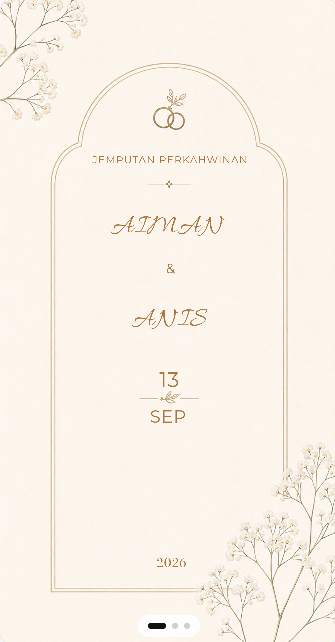
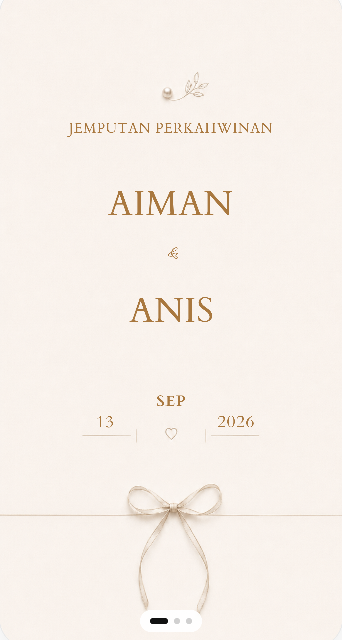
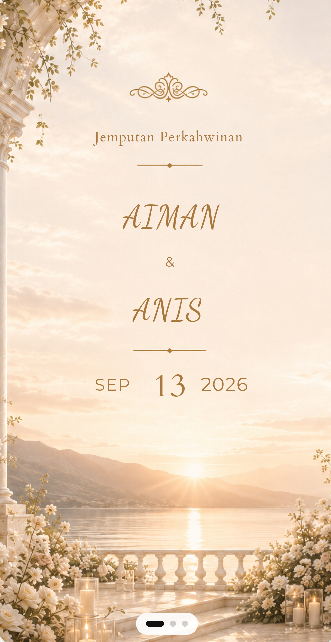
Invitation collection
A beautiful first impression.Designed to be remembered.
Choose an AIVI invitation style, personalise the wedding details and share the final experience through separate Normal and VIP guest links.
Explore TemplatesLimited early-bird · Standard plan
RM20
RM79one wedding eventRM20 for the first 20 eligible Standard users only. After the early-bird allocation is used, Standard returns to RM79 per event. Larger guest-capacity plans have their own pricing.
Limited allocation; final availability and price are confirmed in the AIVI app before payment.